

Key Takeaways
Understanding “boxes IPTV” in 2026 means knowing the full landscape of hardware that connects TVs to internet-based television—from dedicated IPTV set-top boxes like MAG and Formuler to versatile Android TV boxes, Fire TV sticks, and Google TV devices. An android iptv box, in particular, stands out as a feature-rich, customizable device running on Android OS, supporting 4K and HDR content, and offering flexibility for streaming apps and user interface customization. These devices decode IP-based streams into viewable content, replacing traditional cable and satellite with flexible, on-demand entertainment delivered over your internet connection.
IPTV boxes are completely legal hardware in Canada. The legal question always centers on the content and service you access, not the box itself. Resellers and users who focus on legitimate, well-managed IPTV platforms avoid the compliance headaches that come with preloaded piracy apps.
From the IPTVReseller.ca perspective, the best boxes for white-label IPTV reselling are those that reliably run standard IPTV apps Like UHF IPTV and GSE SMART IPTV or portal configurations—MAG, Formuler, BuzzTV, Fire TV Stick, and Android TV devices all work seamlessly with our platform. Budget-conscious Canadian users do well with onn. 4K Pro or Fire TV Stick 4K Max, while serious streamers prefer Formuler Z11 Pro Max or BuzzTV Gen 5 for their advanced EPG and PVR features. The top IPTV boxes for 2026 include the Formuler Z11 Pro Max, NVIDIA Shield TV Pro, MAG555, and Onn Android TV Box. IPTVReseller.ca provides the IPTV platform, reseller panels, and credits; you pair our service with any compatible box you choose.
What Is an IPTV Box? (Boxes IPTV Basics)
IPTV stands for Internet Protocol Television—a method of delivering TV channels and video content over IP networks instead of traditional cable, satellite, or antenna broadcasts. Where cable sends the same signal to everyone simultaneously, IPTV uses unicast for on-demand content (sending individual streams directly to you) and multicast for live TV (efficiently sharing one stream among many viewers). The result is more flexibility, interactivity, and features like pause, rewind, and catch-up TV that legacy systems can’t match.
An IPTV box—often called boxes IPTV in product searches—is a specialized set top box or top box designed for streaming, with a hardware focus and remote control features. It acts as a purpose-built device that connects your TV to an IPTV service, similar to how a cable or satellite box works. This includes purpose-built hardware like MAG, Formuler, and BuzzTV, as well as general-purpose streaming devices like Android TV boxes, Fire TV sticks, and Google TV streamers. The box connects via HDMI to your TV and via Ethernet or Wi-Fi to your internet. This is the same way a cable or satellite box connects, using an HDMI port. It runs apps or portal software that loads your IPTV playlists, channel lists, and VOD libraries.
The key distinction:
Dedicated IPTV boxes (MAG, Formuler, BuzzTV): Built specifically for IPTV with optimized interfaces, remote shortcuts for channels, built-in EPG, and PVR features. IPTV boxes typically offer a more user-friendly interface specifically designed for IPTV services.
General streaming boxes (Android TV, Google TV, Fire TV): Flexible devices that run IPTV apps alongside Netflix, YouTube, and other streaming services
Common use cases for IPTV boxes include:
Live TV channels (news, sports, entertainment)
Sports and PPV events with minimal lag
Video on demand (movies, series, catch-up TV)
Recording live TV with PVR functionality
Time-shifting (pause, rewind live broadcasts)
IPTVReseller.ca is a white-label IPTV platform—we don’t sell hardware. Our service works with all major IPTV box types, letting resellers and end-users choose their preferred devices while accessing our stable Canadian servers, 4K streams, and reseller dashboard.
Types of IPTV Boxes in 2026
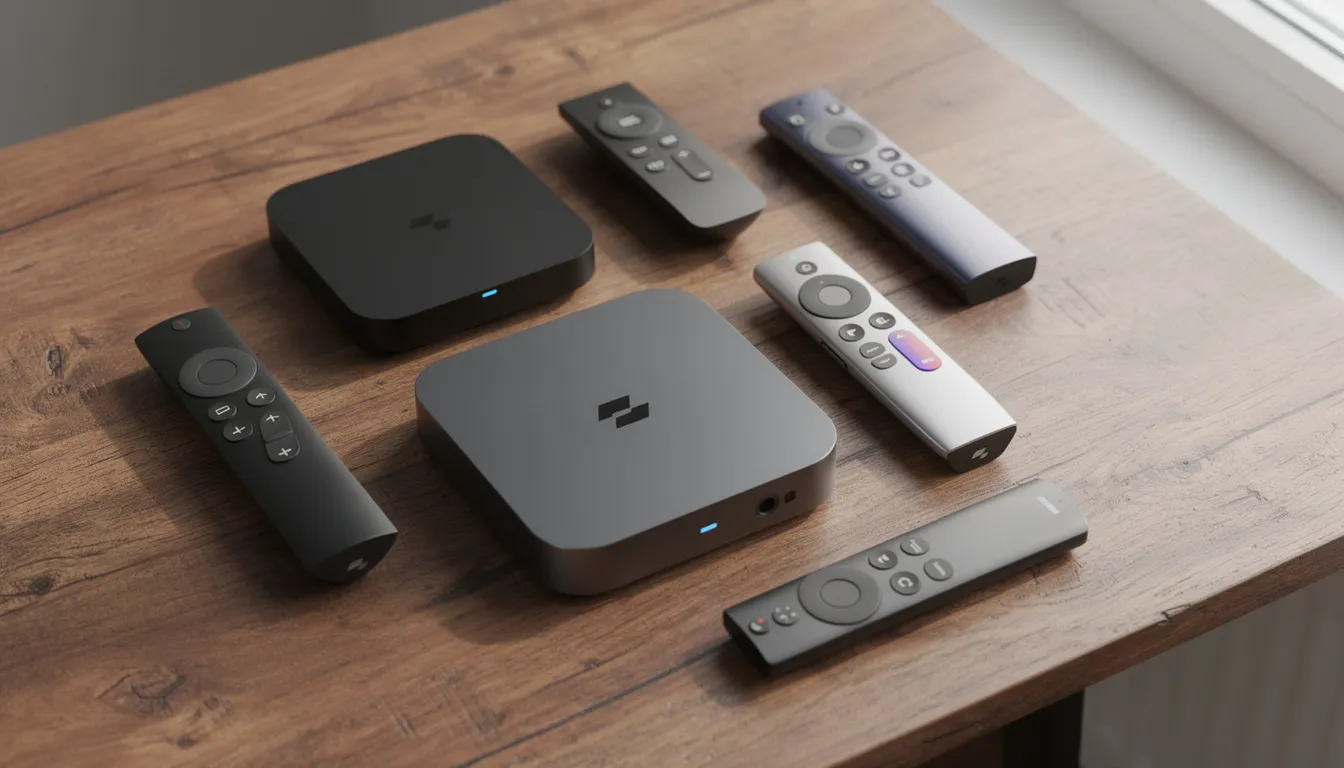
Boxes IPTV in 2026 span multiple hardware categories, each suited to different budgets, technical comfort levels, and use cases. When selecting an IPTV box, it’s important to consider the screen size for optimal viewing quality and experience—a larger screen enhances multimedia consumption, while smaller screens may be suitable for simpler setups or specific needs. Here’s how the market breaks down.
A good IPTV box should also support popular video formats and codecs for a better streaming experience.
Linux-Based IPTV Boxes
MAG boxes remain the classic choice for traditional IPTV portals. The MAG 322 and MAG 324 deliver stable, predictable performance with simple menus that older users and non-technical customers appreciate. Newer models like the MAG 420, MAG 422, and MAG 555 add 4K capability, improved processors, and better Wi-Fi options.
These Linux-based devices connect to IPTV services via portal URLs configured in the settings. They don’t run Android apps, which limits flexibility but also reduces confusion and support requests. For bulk deployments in hotels, bars, or senior residences, MAG boxes are a proven choice.
Android TV / Google TV Boxes
The Google TV Streamer (2025-2026 models), Xiaomi TV Box S 2nd Gen, onn. 4K Pro, and NVIDIA Shield Pro represent the Android TV and Google TV category. These devices run the full Android operating system, giving users access to Google Play for apps, VPNs, speed test tools, and multiple IPTV players.
Key advantages:
Chromecast built in for casting from phones
Voice control via Google Assistant
Easy app installation and updates
Support for Netflix, Disney+, Prime Video alongside IPTV
Android STBs Focused on IPTV
Formuler and BuzzTV occupy a unique middle ground—Android-based boxes with custom IPTV-focused software pre-installed.
The Formuler Z11 Pro Max runs MyTVOnline3, a powerful app with advanced EPG, series recording, multi-portal support, and time-shifting. BuzzTV Gen 5 boxes (X5, U5 series) include BuzzTV 5 software with similar PVR and playlist management features. These devices offer the app flexibility of Android with the polished IPTV experience of dedicated hardware.
MECOOL KM2 and KM7 series also fall into this category, offering solid performance at competitive prices.
Streaming Sticks
Amazon Fire TV Stick 4K and Fire TV Stick 4K Max are among the most popular devices in Canada for IPTV. They’re compact, portable, and affordable. The Chromecast with Google TV provides similar functionality in Google’s ecosystem.
Streaming sticks work well for:
Secondary TVs where a full box isn’t necessary
Travel (plug into any hotel TV)
Budget-conscious users
Testing IPTV services before investing in premium hardware
The tradeoff is limited internal storage and less processing power compared to full-sized boxes.
For IPTVReseller.ca resellers, all these categories work with our platform as long as they can run standard IPTV apps or configure portal URLs.
Best IPTV Boxes for Live TV & VOD in 2026
This section provides a practical, Canada-focused snapshot of the best boxes IPTV for IPTV services as of February 2026—not a theoretical list, but hardware that actually performs well with managed IPTV platforms.
Category | Devices | Price Range (CAD) | Best For |
|---|---|---|---|
Premium IPTV-focused | Formuler Z11 Pro Max, BuzzTV X5 | $180-250 | Serious streamers replacing cable |
High-end general | NVIDIA Shield Pro | $250-300 | Power users, Plex, gaming |
Mid-range | Google TV Streamer, Xiaomi TV Box S | $80-130 | All-in-one streaming households |
Budget | onn. 4K Pro, Fire TV Stick 4K Max | $40-70 | Entry-level, price-sensitive |
Classic portal | MAG 324, MAG 420/555, MAG 254 | $100-200 | Traditional IPTV, bulk deployments (MAG 254 is a good choice for users who prioritize reliability over speed) |
All recommended devices support at least 1080p HD streaming. Those marked as 4K support ultra high definition with HDR, and several include Dolby Vision and Dolby Digital/Atmos for premium picture quality and audio.
For beginner IPTV users, MAG boxes (MAG 254 is a good choice for reliability) and Formuler/BuzzTV devices offer the most straightforward experience. The Formuler Z7+ is an excellent option for those seeking reliability and value, even if it’s not the latest model. BuzzTV XR4000 is recognized for its fast performance and excellent picture quality, supporting 4K and HDR. Tech-savvy users who want flexibility and multiple apps prefer Android TV, Google TV, or Fire TV platforms.
IPTVReseller.ca’s platform works smoothly on all these devices when users install a compatible IPTV app or configure portal settings.
IPTV offers a vast selection of international channels and extensive on-demand libraries, exceeding standard cable offerings.

Formuler Z11 Pro Max
The Formuler Z11 Pro Max stands as one of the top boxes IPTV in 2026, purpose-built for IPTV with the MyTVOnline3 app. It delivers 4K UHD with HDR support, fast performance from Z-series hardware, and 32GB of internal storage for apps and IPTV recordings.
Key features that matter:
Strong EPG with detailed program information
Catch-up TV and series recording
Multi-portal support for managing multiple IPTV services
Quad core processor for fast performance
Easy setup with intuitive menus
This is the right IPTV box for serious IPTVReseller.ca resellers’ customers who want a “cable-box-like” experience with advanced PVR functionality. Target users include sports fans, heavy live TV viewers, and households replacing cable entirely.
BuzzTV Gen 5 Boxes (e.g., X5, U5 Series)
BuzzTV Gen 5 devices are Canadian favourites with the BuzzTV 5 app optimized for IPTV portal and playlist management. These Android boxes deliver 4K HDR, Wi-Fi 6 connectivity, and solid remotes designed for channel surfing.
Standout features:
PVR+, TimeShift, and series recording
Multi-playlist support for households with different preferences
Up to 128GB internal storage on some models, plus USB expansion
Feature rich interface with customizable layouts
BuzzTV Gen 5 pairs exceptionally well with IPTVReseller.ca because configuring portals and playlists for white-label resellers is straightforward. The strong after-sales firmware updates and long-term support make this an excellent choice for resellers deploying many units to customers.
NVIDIA Shield Pro
The NVIDIA Shield Pro is the premium Android TV box with Tegra X1+ processor for top-tier performance. It’s overkill for basic IPTV but perfect for demanding users.
What you get:
4K HDR with Dolby Vision and Dolby Atmos
Strong GPU for AI upscaling of lower-resolution content
Excellent multitasking with heavy IPTV apps, VPNs, and VOD apps running simultaneously
Plex server capability, cloud gaming support
For IPTVReseller.ca resellers, the Shield Pro is niche due to its higher price point. But for clients who want “the best box” money can buy, it’s the answer.
Google TV Streamer & Xiaomi TV Box S (2nd Gen)
The Google TV Streamer (2025-2026 generation) delivers 4K UHD, gigabit Ethernet, and 32GB storage in a compact device with native Google TV OS. Installing IPTV players and VPN apps is simple through Google Play.
The Xiaomi TV Box S 2nd Gen offers 4K HDR with Dolby Vision at a lower price point. It includes integrated Chromecast, Google Assistant, and reliable Wi-Fi in a minimal footprint.
Both are excellent mid-range boxes IPTV for Canadian users who want flexibility without premium pricing. They’re popular among IPTVReseller.ca customers who prefer the familiar Google TV environment with access to multiple apps and streaming services.
onn. 4K Pro & Fire TV Stick 4K Max
The onn. 4K Pro from Walmart costs under $50 CAD while delivering 4K, Google TV OS, and 32GB storage. It’s a great IPTV box for the price—ideal entry-level hardware for customers testing IPTV before committing.
The Fire TV Stick 4K and 4K Max are extremely common in Canada. They support IPTV apps via Amazon Appstore or sideloading, include Alexa voice control, and are portable for travel or secondary TVs.
IPTVReseller.ca resellers often recommend these devices to price-sensitive customers or those new to IPTV. Note that storage is more limited than full set-top boxes, so suggest lightweight IPTV apps for optimal performance.
MAG IPTV Boxes (322, 324, 420/422, 555)
MAG 322 and MAG 324 are classic Linux-based IPTV boxes known for stability and simple menus. The operating system is minimal—no apps, no distractions, just IPTV portal access.
Newer MAG 420/422 and MAG 555 series add:
4K capability
Better processors
Improved Wi-Fi (on select models)
Continued compatibility with traditional portal setups
MAG boxes excel in bulk deployments for hotels, bars, and seniors’ residences due to their predictable UI and straightforward remote control layout. IPTVReseller.ca can be configured for MAG portal-style setups, though Android and Google TV devices offer more flexibility for apps and VPNs.
IPTV Boxes vs Android TV Boxes vs Smart TV Apps
End-users often confuse “IPTV box,” “Android TV box,” “smart TV box,” and “streaming device.” Here’s how they compare for IPTV use.
IPTV-specific boxes (Formuler, BuzzTV, MAG):
Tighter integration with EPG and channel lists
Dedicated remote shortcuts for live channels
Built-in PVR and TimeShift
Optimized for live television viewing
IPTV generally offers lower costs with customizable channel packages and no long-term contracts compared to traditional cable or satellite services.
Android/Google TV boxes:
App flexibility—IPTV apps plus Netflix, Disney+, YouTube
VPN apps install directly
Better for all-in-one entertainment
Wider range of hardware options and price points
Smart TV apps (Samsung Tizen, LG webOS, Roku TVs):
Most convenient—no additional hardware
Often less stable for advanced IPTV features
Limited app selection depending on platform
Harder for resellers to support many different TV OS versions
For IPTVReseller.ca resellers, the best path depends on your customers:
Non-tech clients: MAG or Formuler/BuzzTV for simplicity
Young/tech-savvy clients: Android TV, Google TV, or Fire TV for flexibility
Mixed households: Support both app-based and portal-based setups
When choosing an IPTV service provider, you need to consider the type of iptv content they offer and whether it aligns with your preferences, as different providers may focus on various channel packages or media types.
Standardizing on 1-2 device families reduces support time and customer confusion significantly.
Choosing the Right Boxes IPTV for Your IPTVReseller.ca Business
From the IPTVReseller.ca perspective, choosing hardware for your reseller business comes down to understanding your customers and minimizing support overhead.
Stream quality is an essential aspect to evaluate when choosing an IPTV service provider, as it directly impacts customer satisfaction.
When considering hardware requirements, IPTV boxes require a minimum of 2GB RAM for stable performance, but 4GB is recommended for 4K content.
Additionally, reliable delivery options are crucial—look for providers offering fast or express shipping, as well as bulk delivery for resellers, to ensure efficient and trusted distribution across regions.
Selection Criteria
Factor | Considerations |
|---|---|
Budget per device | Under $60 (sticks), $60-150 (mid-range), $150+ (premium) |
Target audience | Tech level, age, region, language preferences |
Resolution needs | 4K essential for premium customers; 1080p sufficient for many |
Connectivity | Wired Ethernet preferred; Wi-Fi 5/6 adequate for most homes |
App requirements | VPN support, multiple streaming apps, or IPTV-only |
Legal and Branding Considerations
Sell hardware as hardware only—no preloaded illegal apps or pirated content lists. This protects your business and builds customer trust.
Offer your own branded app or portal configuration using IPTVReseller.ca’s white-label features. Your customers see your brand, not ours, while you benefit from our infrastructure, servers, and 24/7 support.
Recommended Device Mapping
Budget mass deployments: onn. 4K Pro, Fire TV Stick 4K Max
Mainstream IPTV-first deployments: BuzzTV Gen 5, Formuler Z11 Pro Max
Special use (bars, hotels, seniors): MAG 324/420/555 with simple remote
Operational Benefits
Fewer device types means easier support and fewer tickets. When your entire customer base runs the same 2-3 boxes, troubleshooting becomes predictable.
Pre-configure boxes at your office before shipping to clients. Load your branded app, set portal URLs, and test connectivity. Customers receive ready-to-use hardware that works out of the box.
Legal, Compliance & VPN Considerations for Boxes IPTV in Canada
IPTV boxes are legal to purchase and own in Canada. The legality question always centers on whether the IPTV service you access violates copyright—not the hardware itself.
Canadian Context
Resellers must avoid marketing pirated content. Focus on legitimate, licensed, or clearly risk-managed offerings. Canadian copyright law applies to unauthorized distribution of protected content, and enforcement has increased in recent years.
The risk of “preloaded” or “fully loaded” boxes sold at flea markets or questionable websites:
Often bundle illegal apps and content lists
May include malware exposing users to identity theft and data loss
Can trigger ISP notices and potential legal action
Best Practices from IPTVReseller.ca
Sell clean hardware only
Provide installation instructions for apps that connect to your legitimate IPTVReseller.ca-powered service
Maintain clear terms of service and acceptable use policies
Keep records of customer agreements
VPN Considerations
Many serious IPTV users in 2026 run VPN apps directly on their Android, Google TV, or Fire TV boxes. Benefits include:
Enhanced privacy from ISP monitoring
Reduced throttling on streaming traffic
Potential geo-blocking workarounds
Important: A VPN does not legalize illegal content. It only affects privacy and network routing. Resellers should inform customers that VPN use is for privacy, not for accessing unauthorized material.
How IPTVReseller.ca Integrates with Popular IPTV Boxes
IPTVReseller.ca is a Canadian white-label IPTV reseller platform offering wholesale credits, reseller panels, white-label branding, unlimited free trials, and 24/7 support. We provide the platform; you choose the hardware.
For detailed specifications, ordering options, and customization services for IPTV and smart TV boxes, please visit the relevant product or support page.
If you have any questions, need assistance with bulk orders, or require technical support, feel free to contact our team directly through our available communication channels.
Device Compatibility
Device Category | Examples | Setup Method |
|---|---|---|
Android/Google TV | Formuler, BuzzTV, Shield, onn., Xiaomi, Google TV Streamer | App install via store |
Fire TV | Stick, Cube | Store app or sideloading |
MAG boxes | 322, 324, 420, 555 | Portal URL configuration |
Smart TVs | Samsung, LG, Android TV | Compatible IPTV apps where available |
Typical Setup Flow for End-Customers
Purchase device (box or stick)
Get trial or subscription from reseller using IPTVReseller.ca
Install recommended app or configure portal URL
Log in with username/password or MAC-based activation
Start watching live channels and on demand content
Platform Features Valuable for Box Users
Stable Canadian and US servers with 4K where available
24/7 monitoring and high uptime for live channels
Reseller dashboard to manage hundreds of box-based accounts quickly
Profit margins up to 900% on resold subscriptions
Use IPTVReseller.ca’s unlimited free trials to test on multiple boxes IPTV before standardizing hardware for your business. Find what works best for your market, then scale.
Conclusion: Are Boxes IPTV Still Worth It in 2026?
Boxes IPTV remain the most practical way for many Canadians to access IPTV on big screens in 2026. While smart TV apps continue improving, dedicated hardware delivers consistent performance, better remote control experience, and features like PVR that built-in apps often lack. Seamless IPTV streaming is a key advantage of these devices, offering high-quality live TV content with support for various streaming resolutions.
The landscape breaks down clearly:
Dedicated IPTV boxes (Formuler, BuzzTV, MAG) give a cable-box feel with advanced IPTV functions
Android/Google/Fire TV boxes offer flexibility and access to VPNs, multiple apps, and streaming content from various providers
Smart TV apps are convenient but less consistent for serious IPTV use
A user-friendly interface and accurate Electronic Program Guide (EPG) are important for the IPTV user experience.
The key is pairing the right hardware with a stable, well-managed IPTV platform. IPTVReseller.ca’s white-label service provides the infrastructure, servers, and reseller tools—you provide the customer relationships and hardware recommendations that fit your market.
If you’re planning to resell IPTV in Canada, start with IPTVReseller.ca reseller credits and test the service on your preferred boxes IPTV before rolling out to customers. Our unlimited free trials let you validate compatibility across devices, and our 24/7 support helps you solve problems fast.
FAQ – Boxes IPTV & IPTVReseller.ca
Do I need a specific IPTV box to use IPTVReseller.ca?
No specific brand is required. Any modern Android TV, Google TV, Fire TV, MAG, Formuler, or BuzzTV device that can run standard IPTV apps or configure portal URLs will work with IPTVReseller.ca. Our platform is designed for broad compatibility across the most common hardware in the Canadian market.
What internet speed do I need for IPTV on 4K boxes?
For stable 4K streaming, plan for 15-20 Mbps per stream minimum. HD (1080p) works well at 8-10 Mbps per stream. Add margin above these numbers—25+ Mbps for HD and 50+ Mbps for 4K—to handle Wi-Fi interference and other devices in your home sharing bandwidth.
Can I use one IPTV subscription on multiple IPTV boxes?
This depends on the reseller’s package and connection limits. Some plans allow one connection per subscription; others permit 2-4 simultaneous connections for households with multiple screens. IPTVReseller.ca resellers define these rules in their dashboard, so end-users should check with their specific provider for details.
Is it better to use Wi-Fi or Ethernet for IPTV boxes?
Ethernet is always preferred for stability, especially for 4K sports and live events in homes with crowded Wi-Fi networks. That said, modern Wi-Fi 5/6 boxes perform well when the router is close and the home network isn’t overloaded with competing devices. If you experience buffering, try wired Ethernet first.
Can I resell IPTV boxes together with IPTVReseller.ca service?
Absolutely. Resellers can bundle hardware plus subscriptions under their own brand. Purchase boxes from reputable suppliers, keep them clean (no preloaded pirated apps), and pair them with your IPTVReseller.ca-powered subscriptions and branded apps or portals. This creates a complete package your customers can buy and use immediately.